

DumboDB is a MongoDB-compatible version-controlled database. It’s one of four databases in the DoltHub family, which includes Dolt (MySQL-compatible), Doltgresql (PostgreSQL-compatible), and DoltLite (SQLite-compatible). Tim recently wrote about our four flavors, and in what context you would use each one.
All of these databases are intended to be drop-in replacements for the databases they are compatible with. I’ll be honest with you: DoltHub databases don’t really start to shine until you start using the version-control features in your application. Branching and merging are features that really require the application to embrace them. So just dropping a DoltHub database into your application without any changes to your application code will demonstrate that the database is compatible, but it won’t show you the real power of version-controlled databases.
That said, there is one feature that may be worth checking out even if you don’t plan to use version control: auto-commit. Auto-commit is a feature that automatically creates a commit with every change to the database. This can be useful in cases where you don’t necessarily know how your application works or how it modifies the database. Three years ago, I wrote about how you could use this feature in Dolt to get insight into how WordPress modifies the database. The idea applies to DumboDB as well. Let’s jump in!
Auto-Commit in DumboDB#
I confess that the --auto-commit flag has existed since the first release of DumboDB. I’ve never mentioned it though, and I whacked a couple of bugs in the implementation last week. So I thought it was time to give it a proper announcement.
First, install DumboDB!
To enable auto-commit, you simply start DumboDB with the --auto-commit flag:
dumbodb --auto-commit --data-dir ./dataOr if you are using the DumboDB Docker image, you can pass the flag like so:
docker run -p 27017:27017 -v /path/on/host:/var/lib/dumbodb \
  dolthub/dumbodb:latest \
  --data-dir /var/lib/dumbodb \
  --auto-commit
Now, any modification to your database, be it a small update, a bulk import, or creating a new index, will automatically create a commit.
Auto-Commit in Action#
Using the MongoDB Compass GUI, I created a new database called shop with an empty collection called customers. If you want a little more detail on this, see my previous blog post. I have a file with 3000 fake customer records in JSON format. I imported the file into the customers collection. When I import this file, the UI reports that 3000 records were inserted:
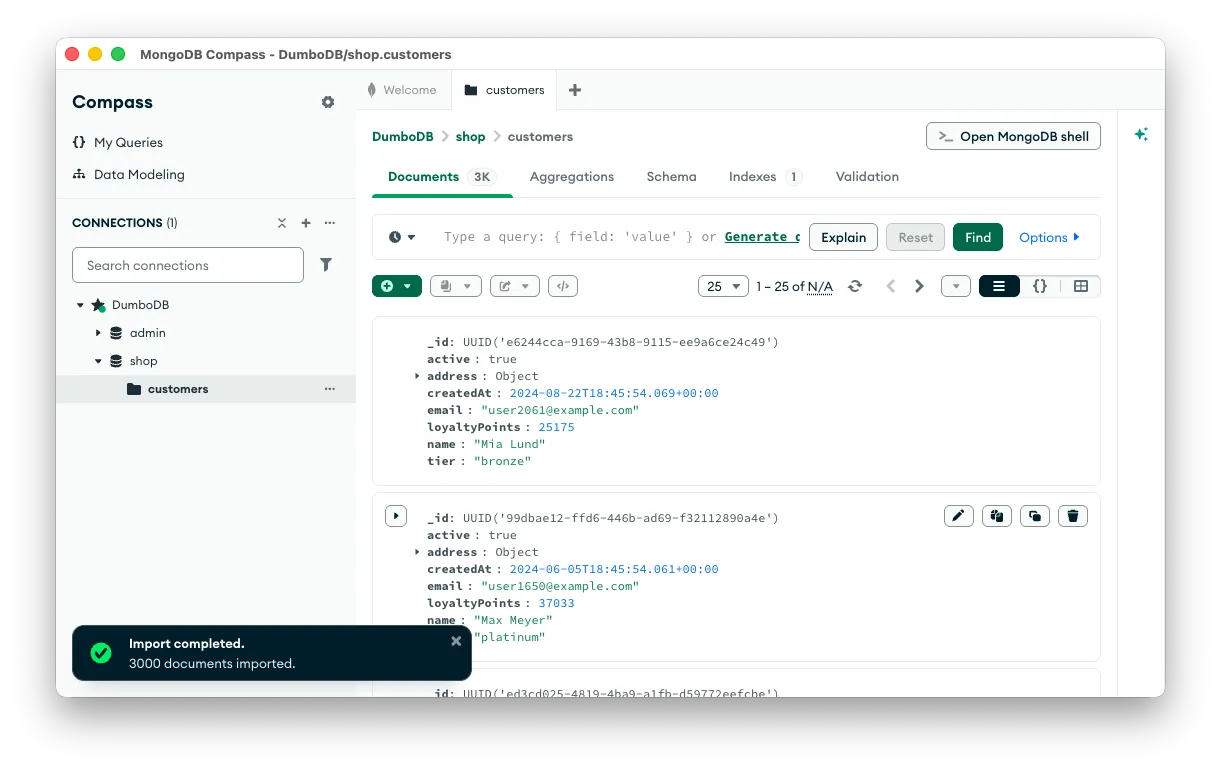
As far as you’re concerned, that all happened in one fell swoop. Or did it?
If you look at the commit history, you will see the true story. See the commit messages using dumboLog:
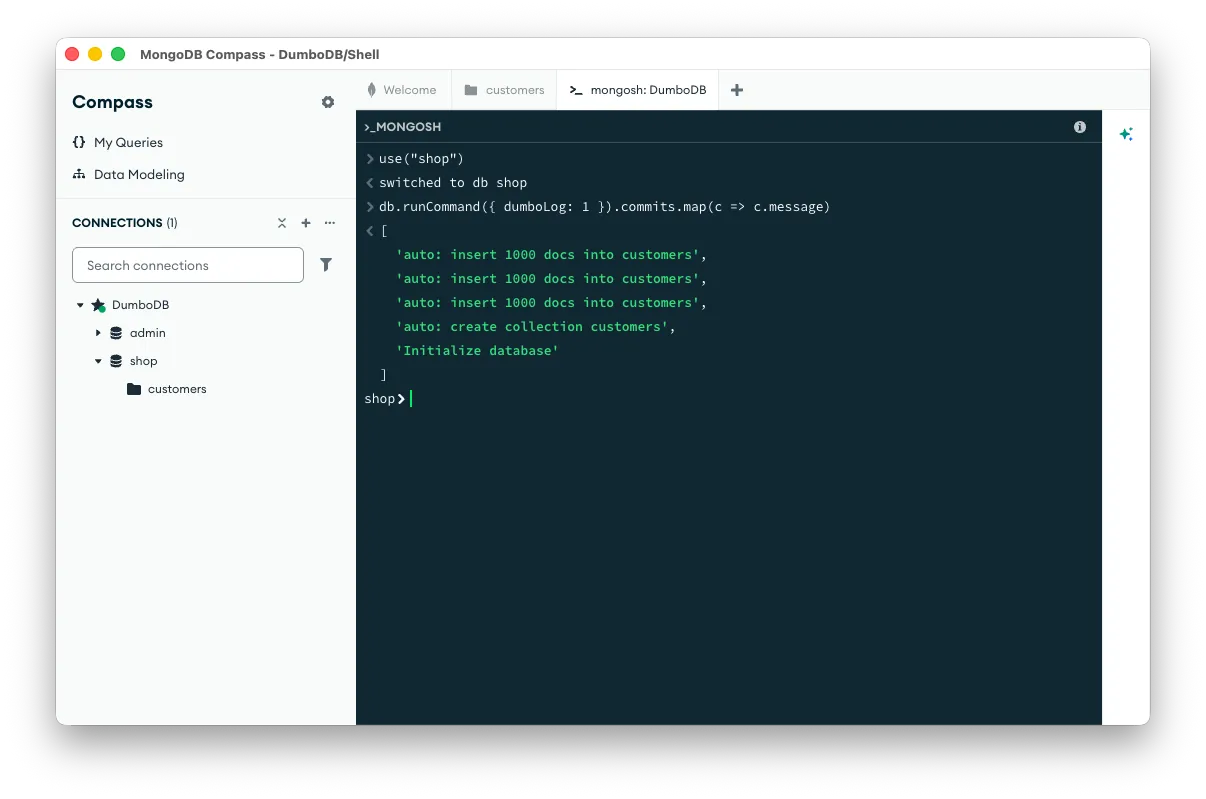
Well, look at that! Compass inserts data in batches of 1000 records. This makes sense. It’s a nice round number and probably avoids putting too much data into memory at once. Without the --auto-commit flag, you would have no idea this was happening unless the logs said something or you painfully investigated the wire protocol with Wireshark. With --auto-commit, you can see exactly what is happening in the database. Every update is a commit. Simple.
Glorious Tags#
As mentioned above, we used Dolt to observe how WordPress modified data in the database. The way we did this was with tags. Tags are lightweight references to commits, and the reason they’re useful in this context is that they tag HEAD, even if HEAD is moving forward with regular updates as your database changes.
Imagine you have an application running against your DumboDB database, and you want to see how the application modifies the database. You can start by creating a start tag:
db.runCommand({ dumboTag: 1, name: "start" });Then you can run your application for some period of time, at least long enough for something to change in the database. Then you can create an end tag:
db.runCommand({ dumboTag: 1, name: "end" });Now you can use dumboDiff to see what changed between the two tags:
db.runCommand({ dumboDiff: 1, from: "start", to: "end" })Going Further#
This feature could be used in your CI environment to verify that your application is modifying the database in the way you expect. You could use this to debug your application when it is dropping data. It’s a level of trace you’ve never had before. How are you going to use this feature?
Don’t forget that all DoltHub databases support auto-commit, so don’t limit your imagination to just DumboDB. Want to learn more about Dolt and Dumbo? Hop on our Discord to ask questions and nerd out about version-controlled databases!