
Hosted Dolt’s SQL workbench is a great collaboration tool for teams looking for a modern, easy-to-use UI for your version-controlled database. Its permission model allows for infinite users with varying access to your database.
In addition to user roles, Dolt supports branch permissions, which let you limit access of certain branches to all or some users. Hosted Dolt now supports branch permissions directly from the workbench UI.
Background and implementation details#
Restricting access to certain branches is a common workflow on GitHub. Users want to prevent direct writes to their main branch, instead only allowing reviewed and approved pull requests to make it into production code. We have a synonymous branch permission model on DoltHub, which we released a few years ago.
The online nature of Hosted Dolt is different from the offline model of DoltHub and GitHub. And unlike DoltHub, there are two layers of users on Hosted: Hosted application users (the user that logs into hosted.doltdb.com) and SQL users (users that connect to the SQL server or workbench).
For the workbench specifically, depending on the role of the application user (via organization roles or deployment collaborators) an internal SQL user with corresponding permissions will be used to connect to the workbench. If you have this feature enabled in your deployment settings, you’ll see them here:
mysql> select host, user from mysql.user where user like 'hosted-ui-%';
+------+------------------+
| host | user             |
+------+------------------+
| %    | hosted-ui-admin  | -- all writes, including GRANT OPTION privilege
| %    | hosted-ui-writer | -- all writes,  does not include GRANT OPTION privilege
| %    | hosted-ui-reader | -- read-only for all branches
+------+------------------+
3 rows in set (0.037 sec)
Dolt’s branch permission model initially included three available permissions - admin, write, and read. Creating a branch control for branch main with permission read would prevent all of the above users from writing to main.
One of our customers requested a featured where their organization members can make changes on a branch, create a pull request on the workbench, and merge this branch into main, but cannot write directly to main. This is more similar to the GitHub/DoltHub model and makes sense for a workbench product that enables this kind of collaboration on data.
So we added an additional branch permission to Dolt - merge. Creating a branch control for branch main with permission merge would prevent all users from writing to main, with the exception of the dolt_merge and dolt_commit SQL procedures, which are used when merging a pull request from the workbench.
While all changes in Dolt are version-controlled, a branch permission of this nature creates even greater oversight and transparency for what changes are making it into your production database.
How it works#
Suppose Tim has a Hosted database to keep track of employees and teams at DoltHub. Tim hired a Human Resources employee to manage this database, but they are not SQL savvy and he does not want them to make changes to main without reviewing their pull requests first.
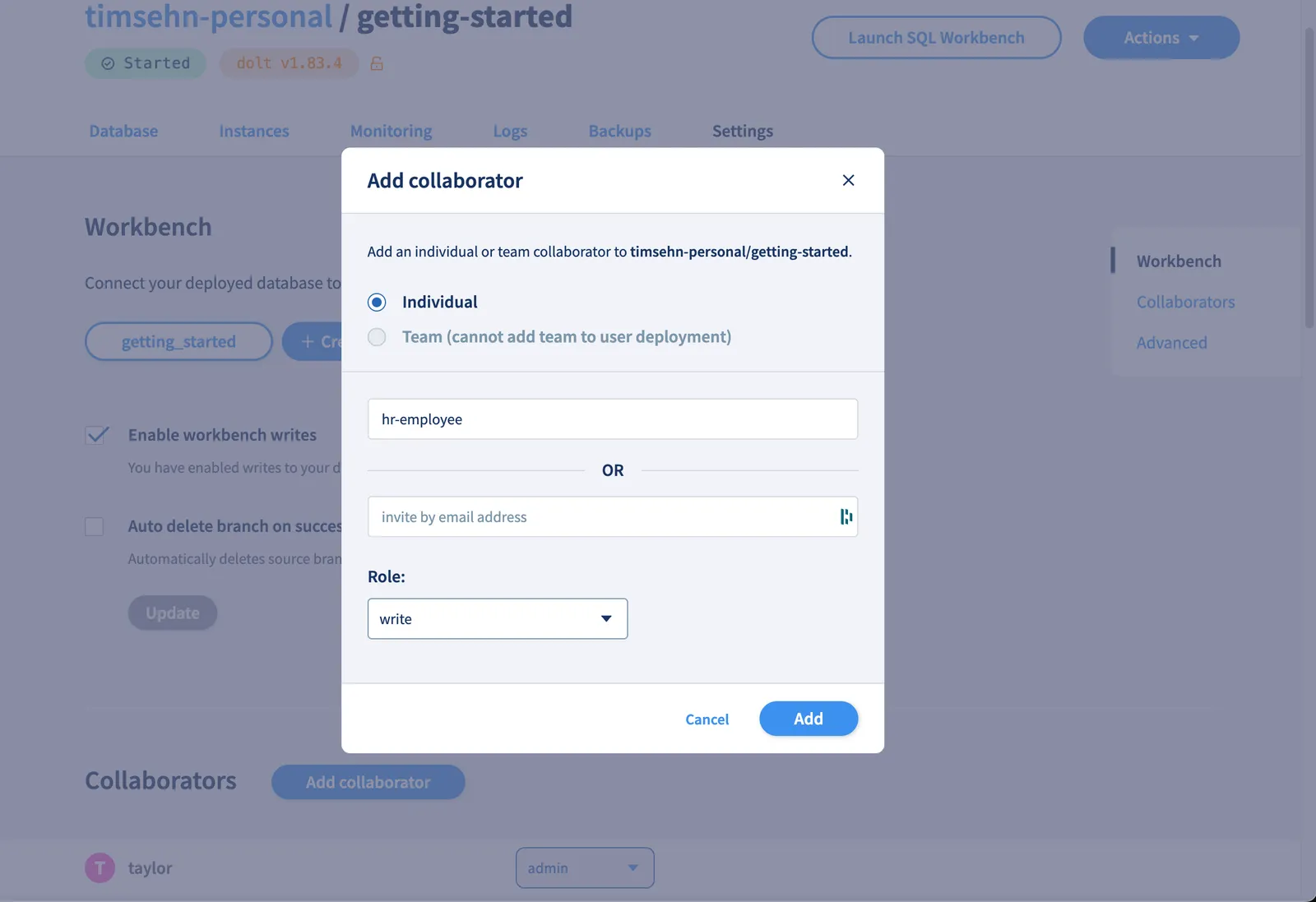
First, Tim adds the HR employee as a collaborator with write permissions in his deployment settings.
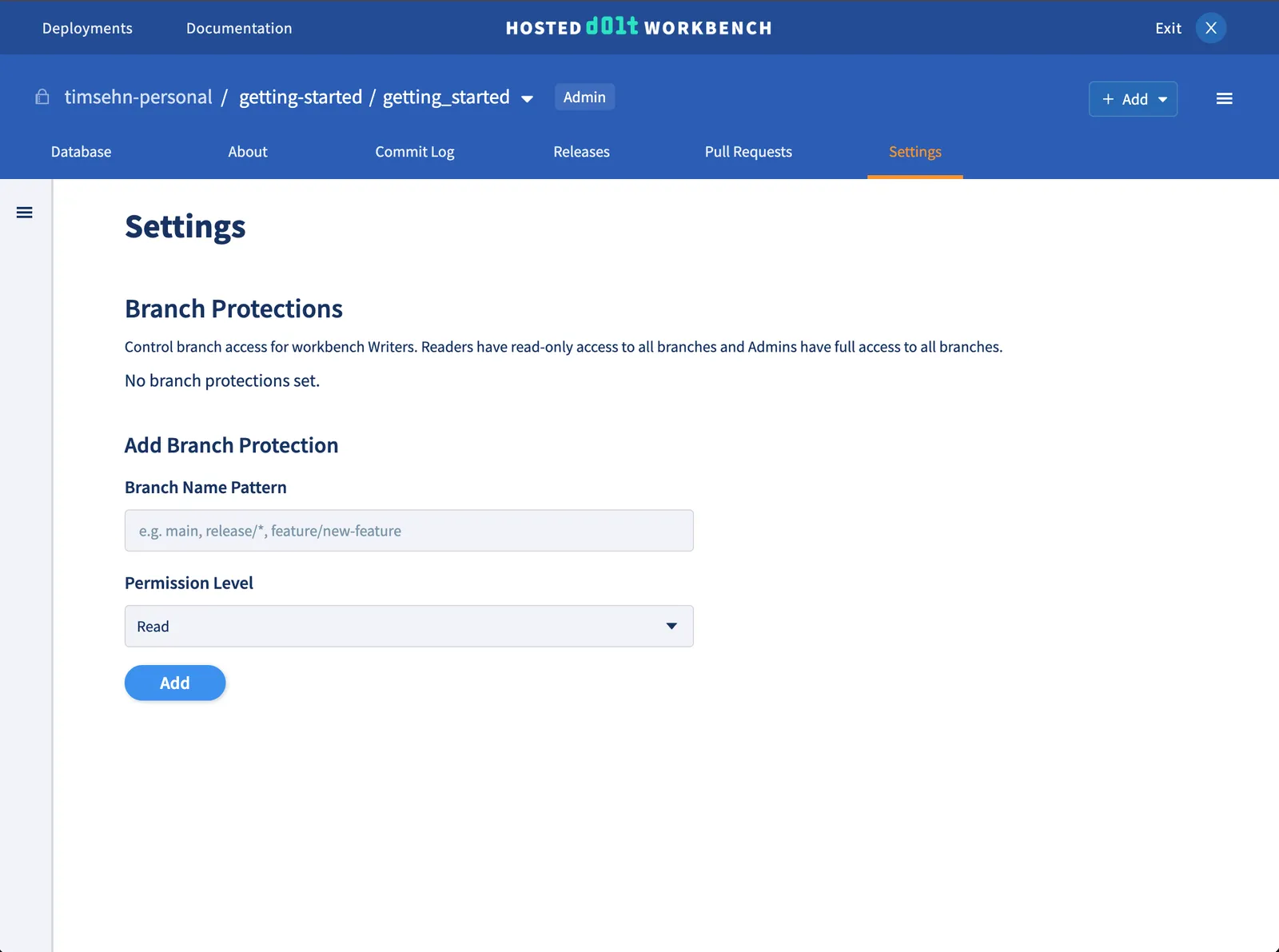
Next, Tim launches the workbench and navigates to the Settings tab, which will have a “Branch Protections” form. Only deployment admin have access to this Settings tab.
He adds branch main with permission level Merge. He can add any branch or branch name pattern here.

Note that this feature only affects users with Write permission on the deployment. Readers will always only have read-only access to the workbench and admin will always have full access.
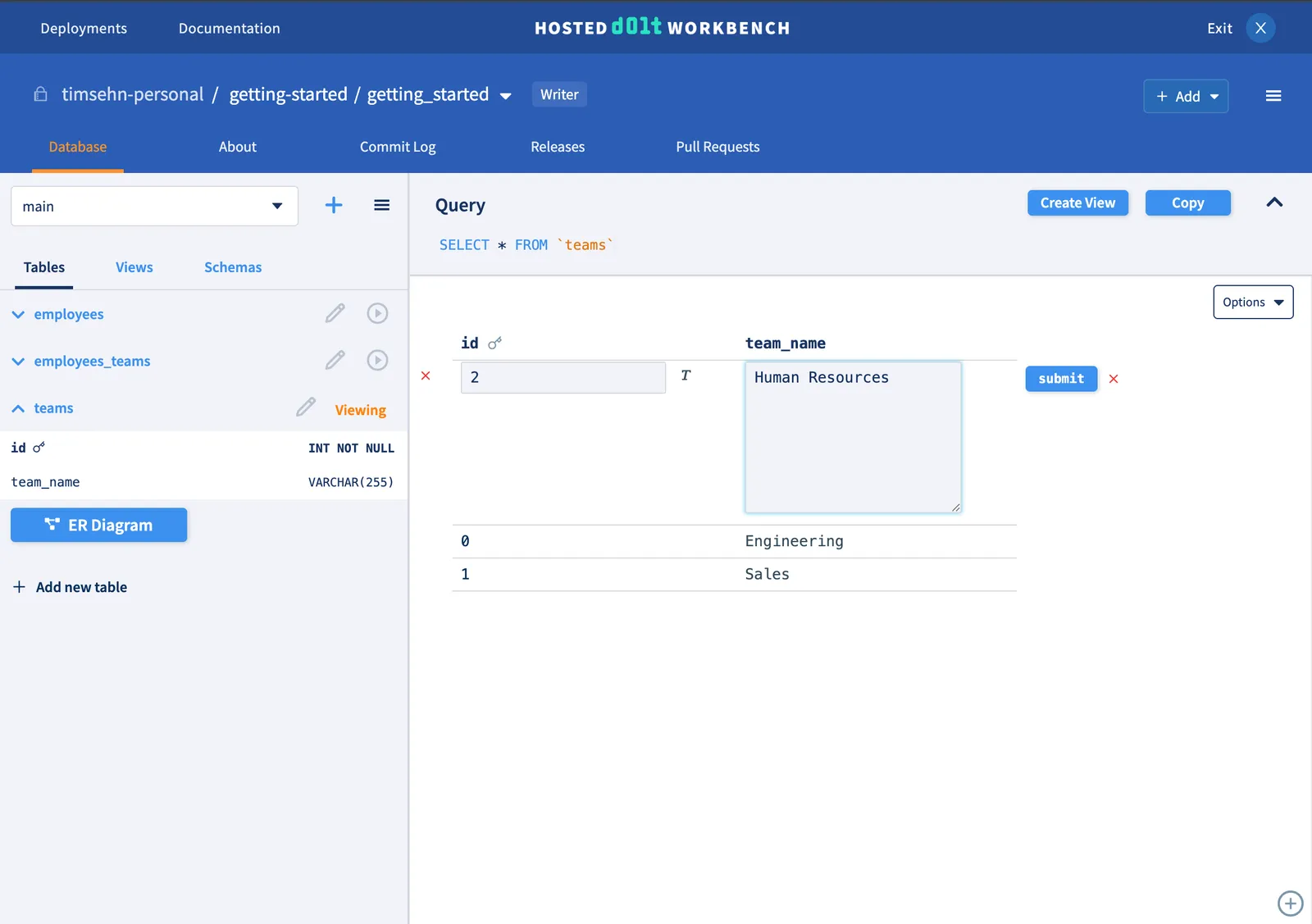
Now, the new hr-employee user logs in and accesses the workbench. They have been tasked with adding a new “Human Resources” team and adding themselves as an employee. You can see that the built-in cell buttons makes this easy and does not require knowledge of SQL.
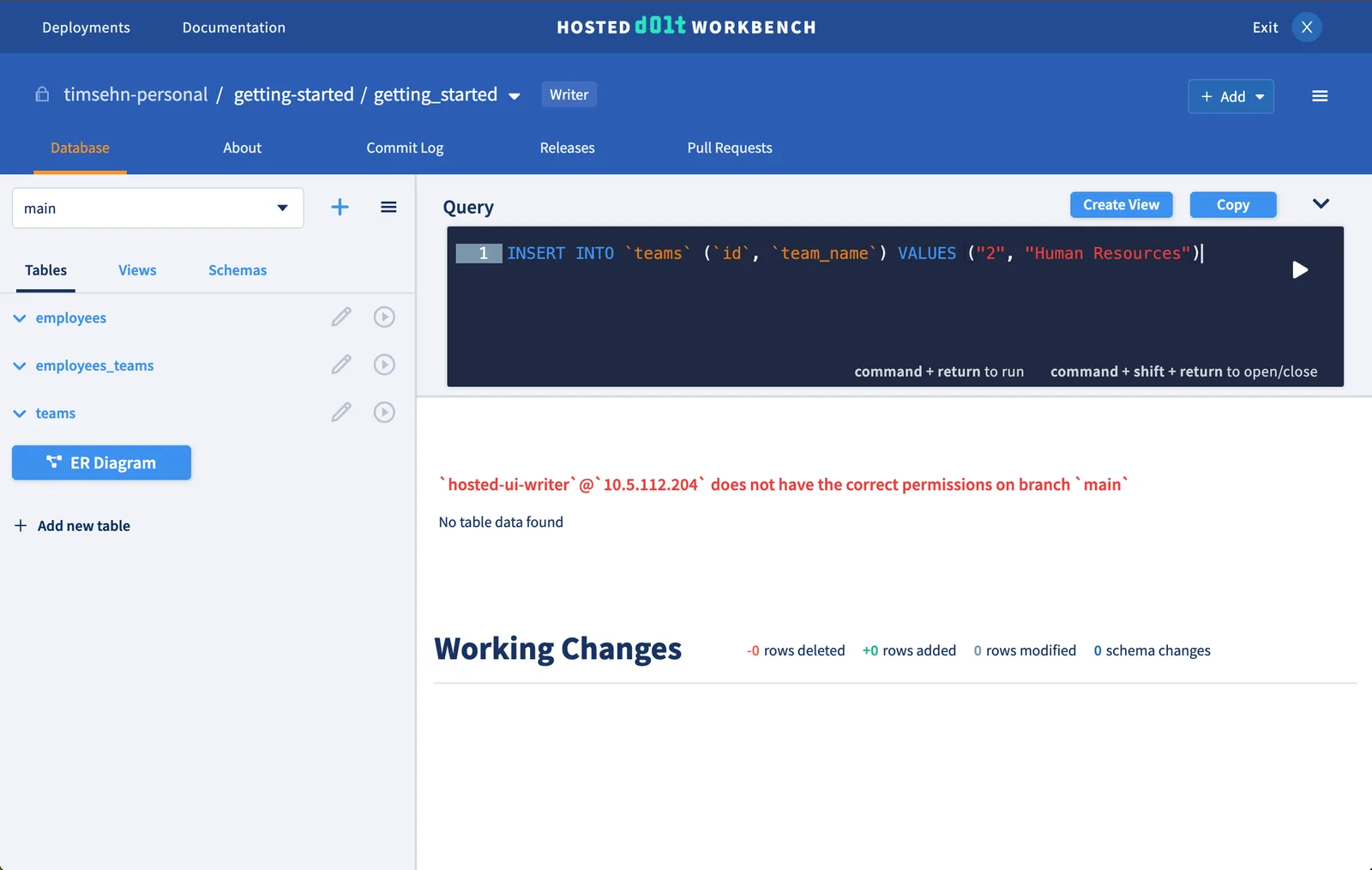
However, hr-employee cannot make changes directly to main since Tim has prevented that with branch permissions.
hr-employee must create a new branch to make this change.
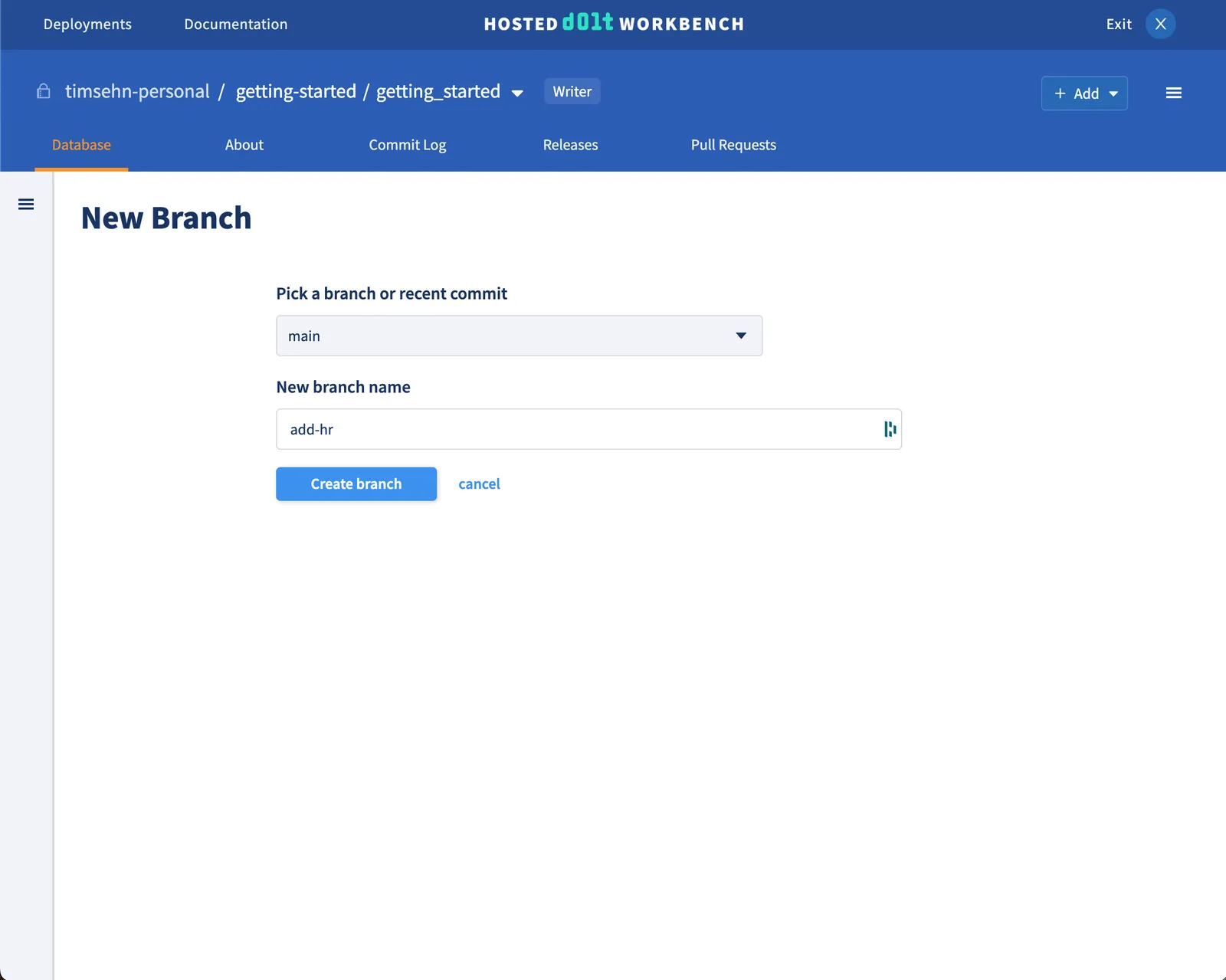
This time adding the “Human Resources” team is successful, since the branch protection only affects the main branch.
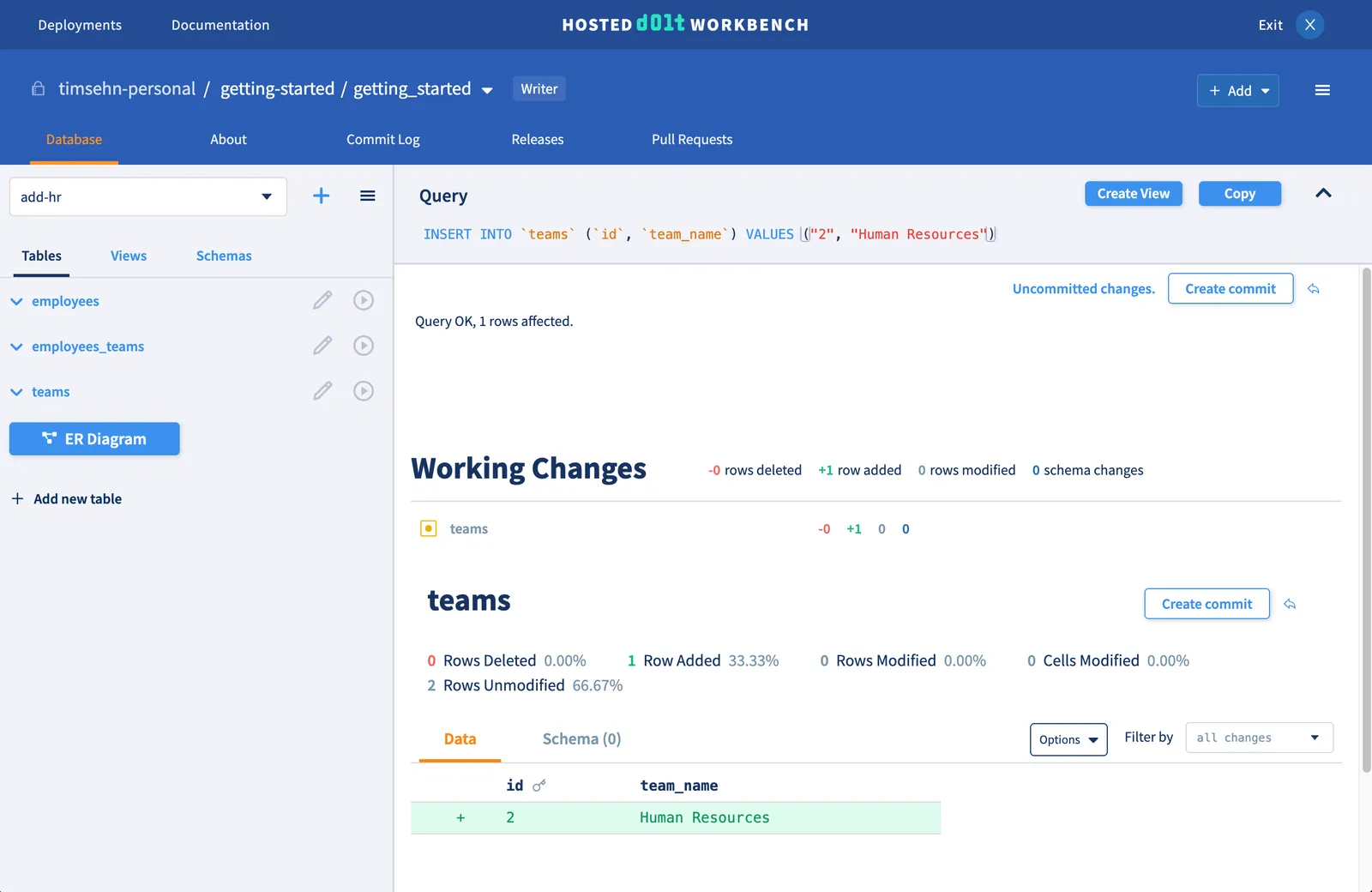
hr-employees adds to employees and employees_teams and commits these changes using the “Create commit” button. They create a pull request and send to Tim for review.
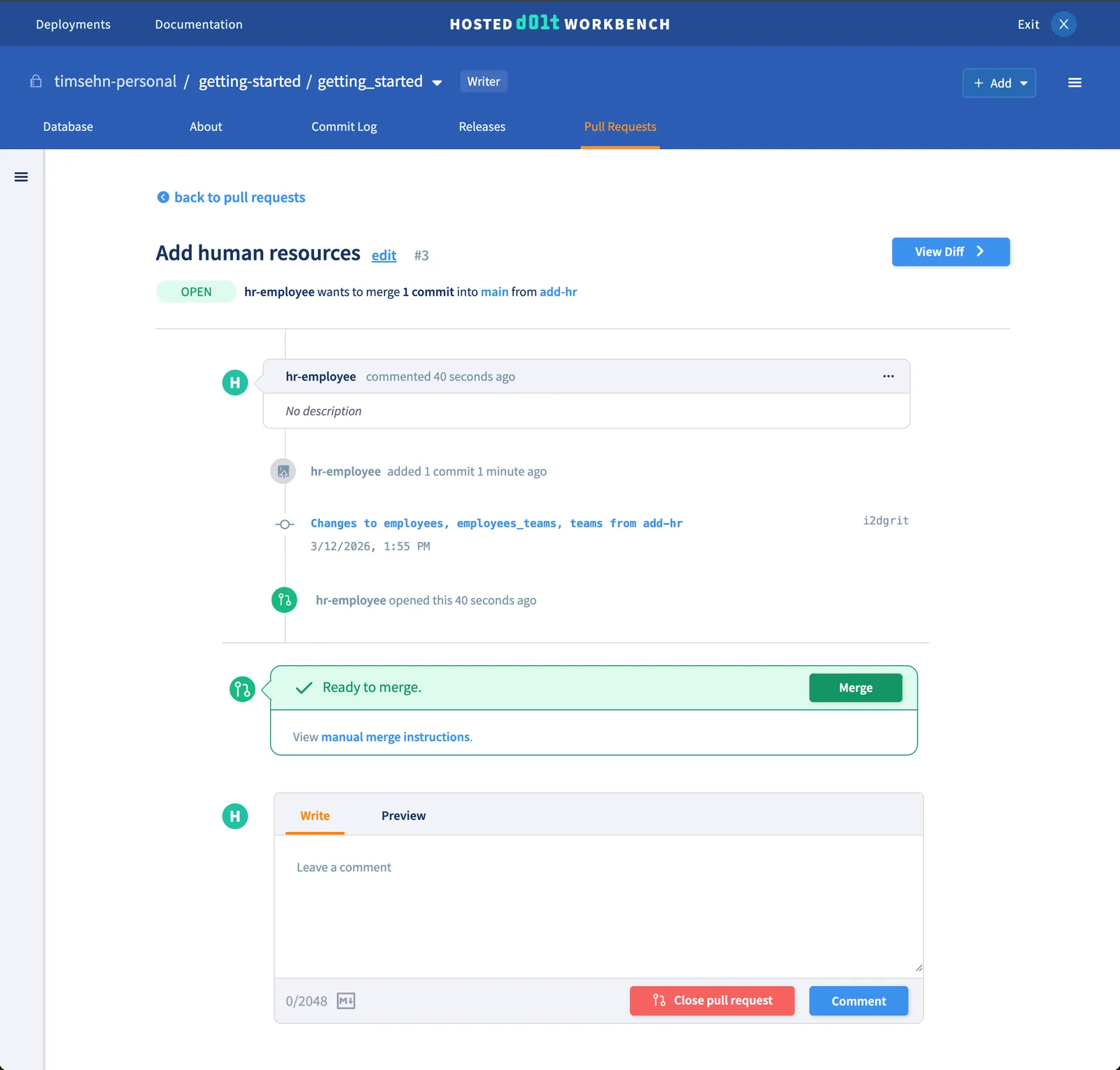
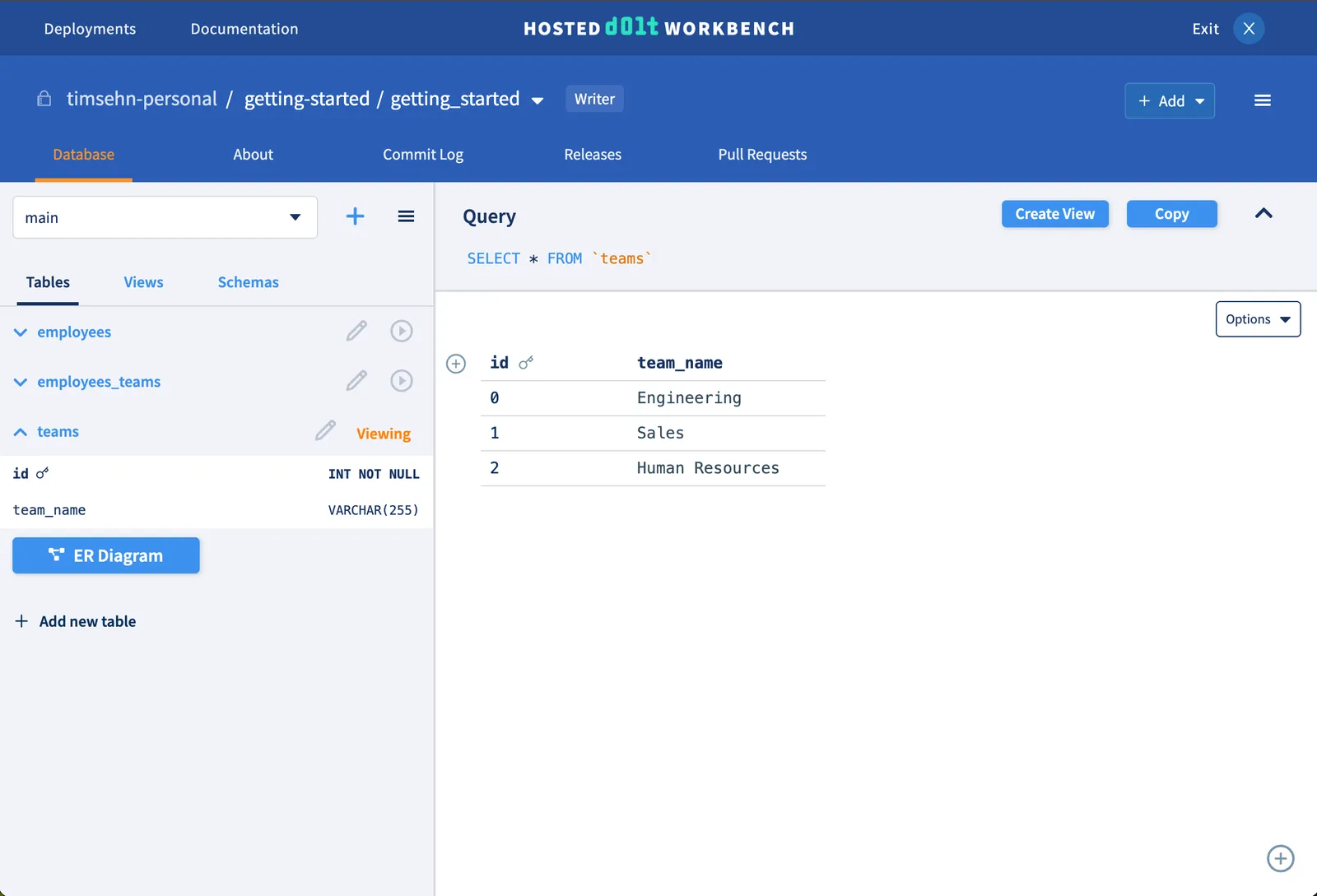
Tim gives the LGTM, and hr-employee merges the pull request. This is successful because the branch permission allows changes to main via dolt_merge. We can now see these changes on the main branch.
Conclusion#
Hosted Dolt Workbench is a great tool for collaborating with your team on your database, and branch permissions give you even more oversight and control over what makes it into your production database. We take our customer asks seriously, so please contact us with questions or feature requests by filing an issue or reaching out on Discord.